Fast loading times for your website are a crucial success factor. More than half of internet users browse on their smartphones, making short loading times essential for a good user experience. Additionally, they are an important ranking factor for search engines like Google. Last but not least, your visitors also benefit: Fast page loads ensure a pleasant experience and increase the time spent on your website.
Since many websites neglect the topic of performance, this presents a clear opportunity to gain a competitive advantage.
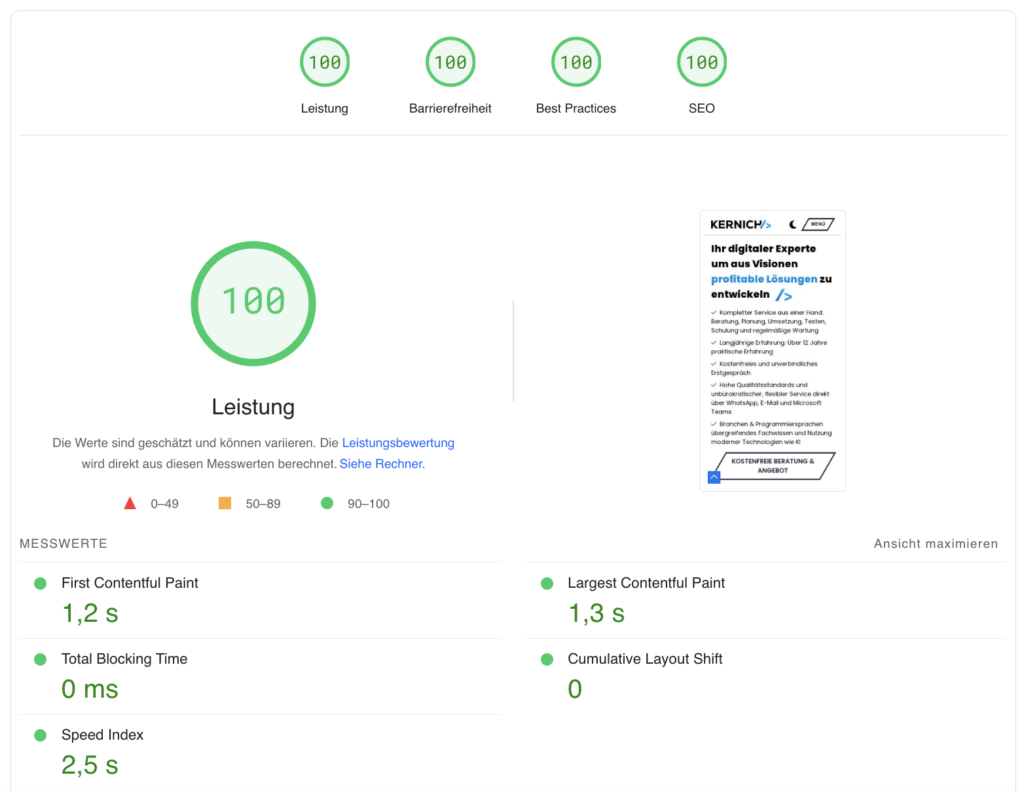
With this article, I want to save you the tedious search for countless solutions and present my proven strategies for optimal WordPress performance. I use these on this website as well – and I think the results speak for themselves:
What Actually Slows Down WordPress?
A fitting comparison is a smartphone: In the beginning, a new device usually runs fast and smoothly. But the more apps are installed, the slower it becomes. The same applies to WordPress. Extensive themes and a growing number of plugins bloat the website, slow down loading times, and in the worst case, can even pose a security risk.
Often, plugins are installed for simple functions. A typical example is a contact form plugin. Although the form is usually only needed on a single page, the visitor’s browser unnecessarily loads the associated components on every page in the background – slowing down the entire website.
Measuring WordPress Performance
To measure performance precisely and identify specific problems, various free analysis tools are available.
The most common tools are:
Achieve the Best WordPress Performance with These Steps
Step 1: Choose a Suitable Hosting Provider
Even the best-optimized WordPress website won’t help much if you cut corners on the “engine.” The choice of hosting provider should therefore be well thought out.
I’ve been using Raidboxes for myself and my clients for several years. Unlike most other hosting providers, Raidboxes offers a decisive advantage: In addition to powerful hardware, they use specially developed software architecture perfectly tailored to WordPress.

By far the most powerful feature of Raidboxes is the so-called Static Cache. Pages that are accessed are automatically cached and delivered directly from the cache on subsequent visits. Since this process runs server-side, no additional caching plugin is required. Additionally, there’s no delay caused by executing a cache plugin and other WordPress processes – saving valuable loading time.
Free Migration to Raidboxes*Step 2: Using a CDN – Cloudflare
With a CDN (Content Delivery Network), you can distribute the load of your website. This is particularly useful for important metrics like TTFB (Time to First Byte) – the time it takes until the server sends the first response. Since your website is typically located on a single server, the distance to the visitor varies. This can distort performance ratings, as different loading times occur depending on location. A CDN solves this problem by storing your website in data centers distributed worldwide. This way, content is always delivered from the nearest server, significantly reducing loading time.
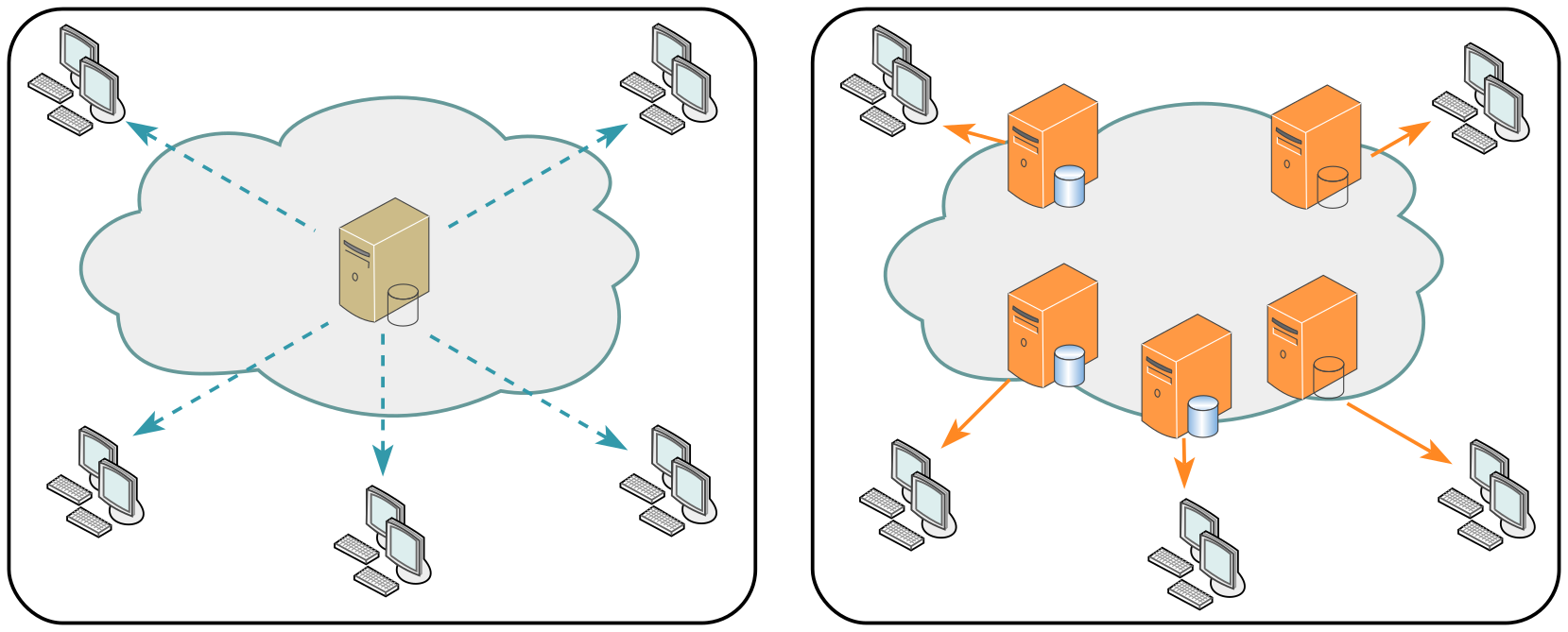
A free CDN solution in this case would be the well-known service Cloudflare. Only a few steps are required, which are explained in detail on the website.
Step 3: Choosing the Theme
The biggest mistake when choosing a WordPress theme is making the decision based solely on design. Many “ready-made” themes come with significant technical limitations. Ideally, you should choose a theme that excels in technical standards. A good theme allows the implementation of any design concept and is optimized from a performance perspective to work resource-efficiently.
An even better choice is developing a custom theme tailored specifically to your requirements.
Think of it like a toolbox: You might only need a handful of tools to build your website according to your vision. With standard themes, however, you’re always carrying around a fully packed, heavy toolbox. The heavier it is, the more resources the browser has to download and process – a process known as rendering.
Step 4: Selection of Plugins
As the number of plugins increases, your website’s loading time worsens, and the risk of security vulnerabilities rises. This also applies to plugins running in the background. But why is that? With every page load, WordPress processes all installed plugins. Within the so-called hooks (the WordPress lifecycle), various checks are performed. This creates additional execution time for functions that may not even be actively used.
It becomes even more problematic when plugins load resources from external third-party providers. This can be critical from a data protection perspective, especially when providers are located outside the EU and don’t comply with strict data protection regulations. Loading external resources is also unfavorable from a performance standpoint. The visitor’s browser has to send additional requests to external servers, unnecessarily extending loading time. Every external connection costs valuable time.
Therefore, carefully consider which plugins you use and ensure regular updates. It also doesn’t hurt to measure your website’s performance before and after activating individual plugins. This gives you an exact overview of the impact each plugin has on loading time.
Often, unnecessary or duplicate plugins are used when they’re not required. A common example: Many page builders already include a contact form. In such cases, an additional contact form plugin is redundant.
As with the WordPress theme, the best solution here is to develop the required functions yourself. Often, the effort is less than expected, since WordPress offers many standard functions that can be used with minimal code. This keeps the “toolbox” lean, further optimizing loading time. Additionally, with custom plugins, you can specifically address performance aspects when they play a role.
Step 5: Content Compression and Lazy Loading
After optimizing our WordPress tech stack, we can now apply the finishing touches.
In the finishing touches, we further optimize the content to be transferred by combining, reducing, and loading it asynchronously (delayed).
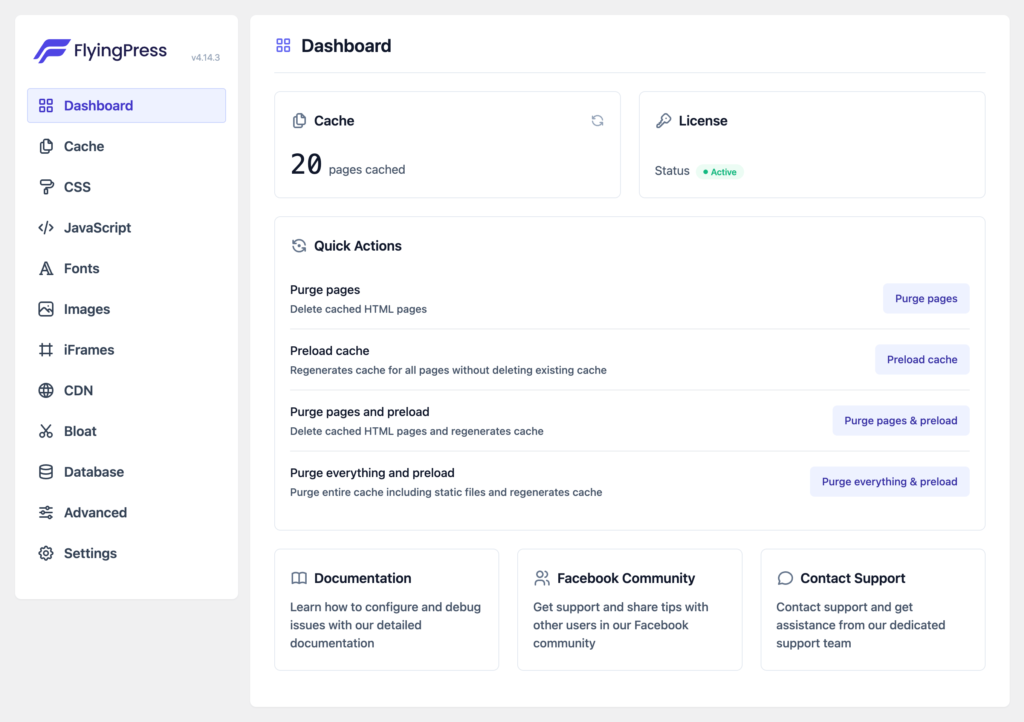
After testing numerous plugins like Autoptimize, WP Rocket, and many others, I’ve concluded that FlyingPress* delivers the best results. The plugin is easy to use – after answering a few questions, the optimization is already complete.
Conclusion
Optimization for good WordPress performance begins with the choice of hosting provider and continues with the right theme and plugins used. This alone can have a significant impact on loading times. To achieve the best possible performance, it’s recommended to develop a custom theme and rely on your own optimized solutions instead of numerous plugins.
The strategy presented here is based on my own successful use case. Of course, there are other optimization possibilities as well. If you’re unsure or would like consultation on this topic, feel free to contact me for a free potential analysis of your website.